Managing AI Provider Limits and Quotas
Posted on 2026-01-26 Updated on 2026-01-26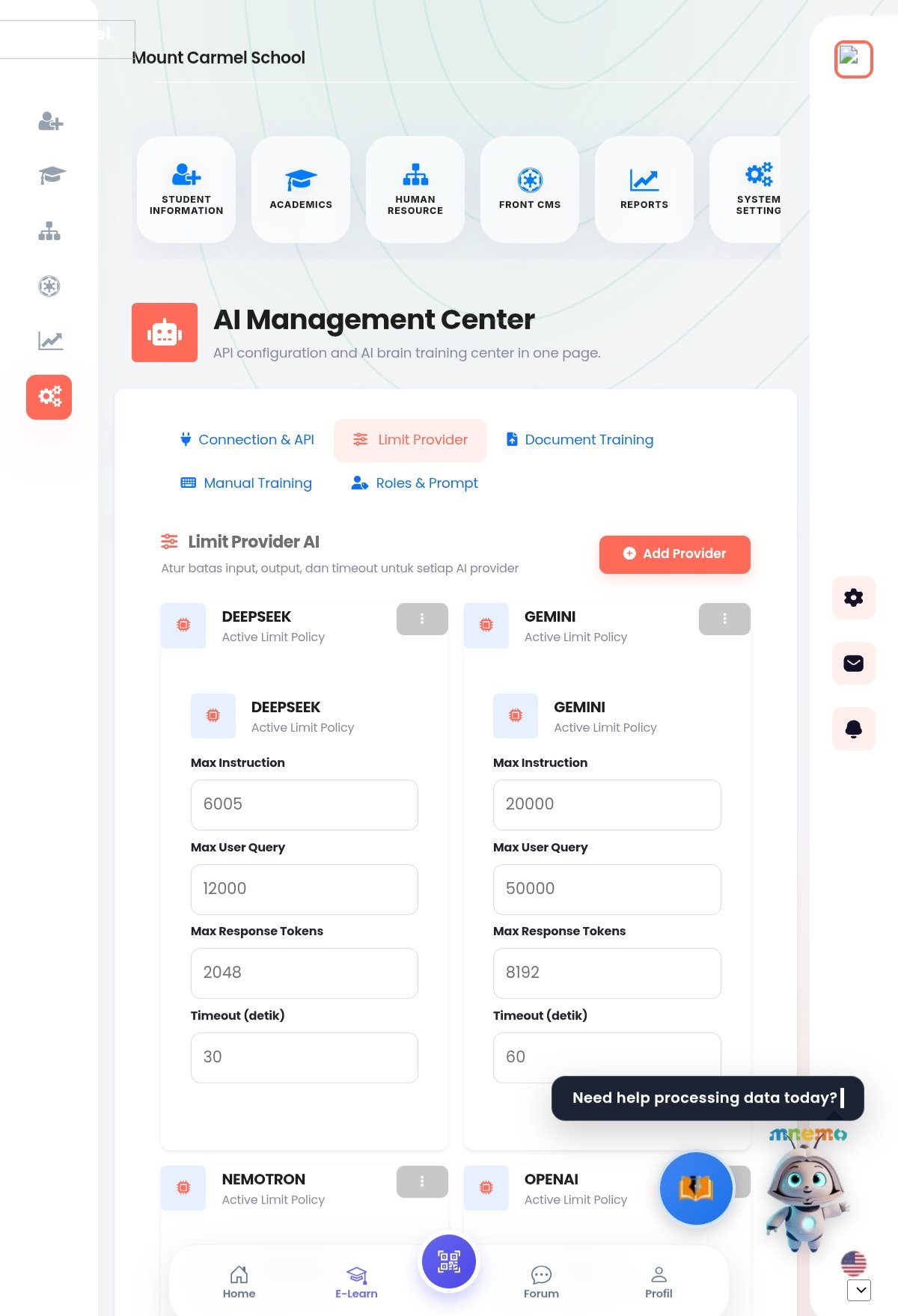 The Limit Provider AI section in the AI Management Center allows administrators to control usage, performance, and costs by setting specific thresholds for each AI provider.
Key Configuration Parameters:
- Max Instruction: The maximum character or token count allowed for system instructions/prompts.
- Max User Query: The upper limit for the length of a single user question or input.
- Max Response Tokens: Controls how long the AI's answer can be, preventing excessive resource consumption.
- Timeout (seconds): Defines how long the system will wait for a response before terminating the request.
Provider-Specific Examples:
As shown in the dashboard, different providers can have different policies:
- DeepSeek: Currently configured with a 30-second timeout and 2,048 response tokens.
- Gemini: Set with a higher capacity of 8,192 response tokens and a 60-second timeout.
To add a new configuration, click the Add Provider button. You can modify existing policies by clicking the options menu on each provider card.
Found this article helpful?
[ 0 Out of 0 Found Helpful ]