AI Knowledge Base: Manual Training Guide
Posted on 2026-01-26 Updated on 2026-01-26The Manual Training section allows administrators to feed specific information into the AI brain without uploading external documents. This is ideal for fine-tuning specific questions and answers that require high precision.
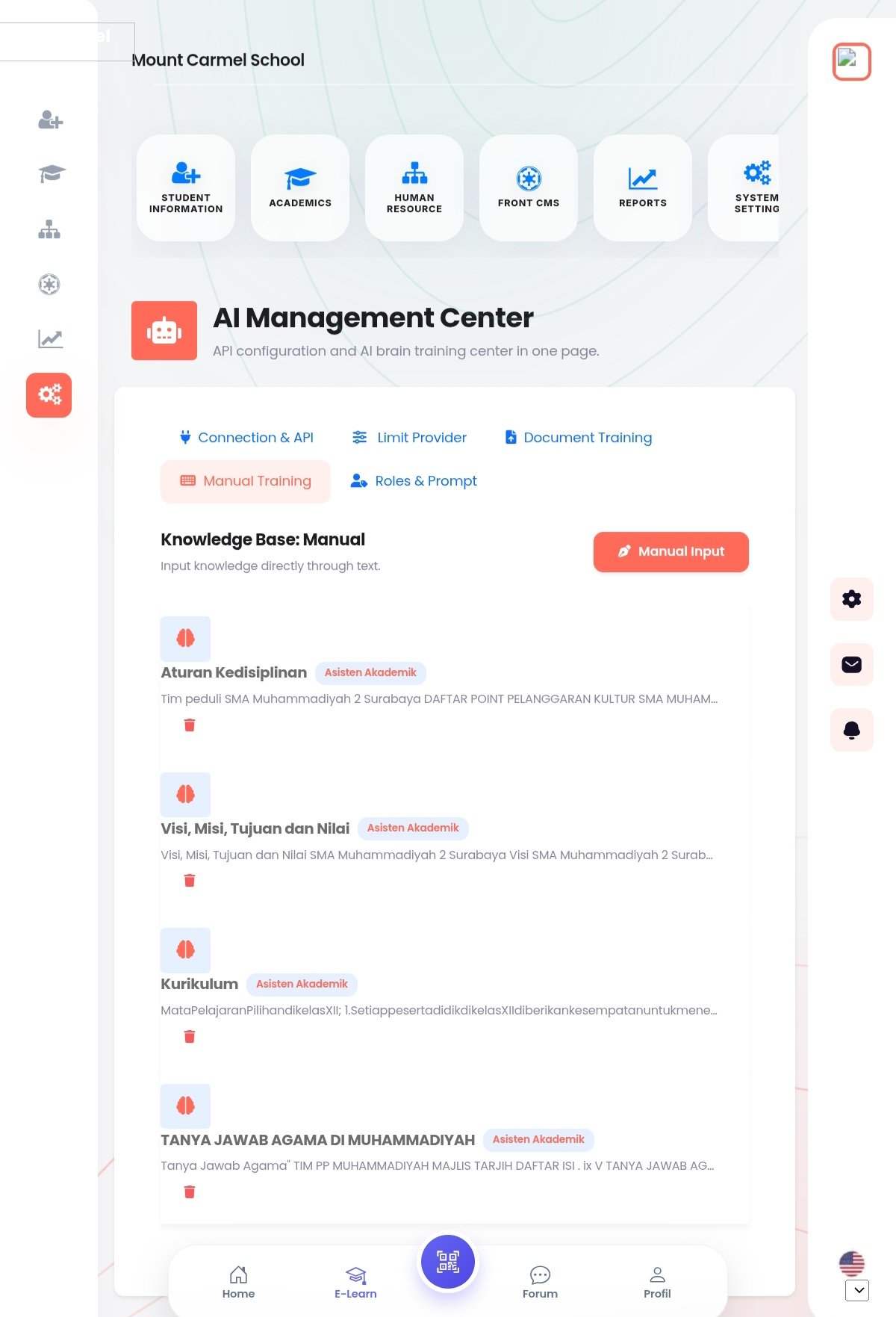
How to Perform Manual Training:
- Navigate to the Manual Training tab within the AI Management Center.
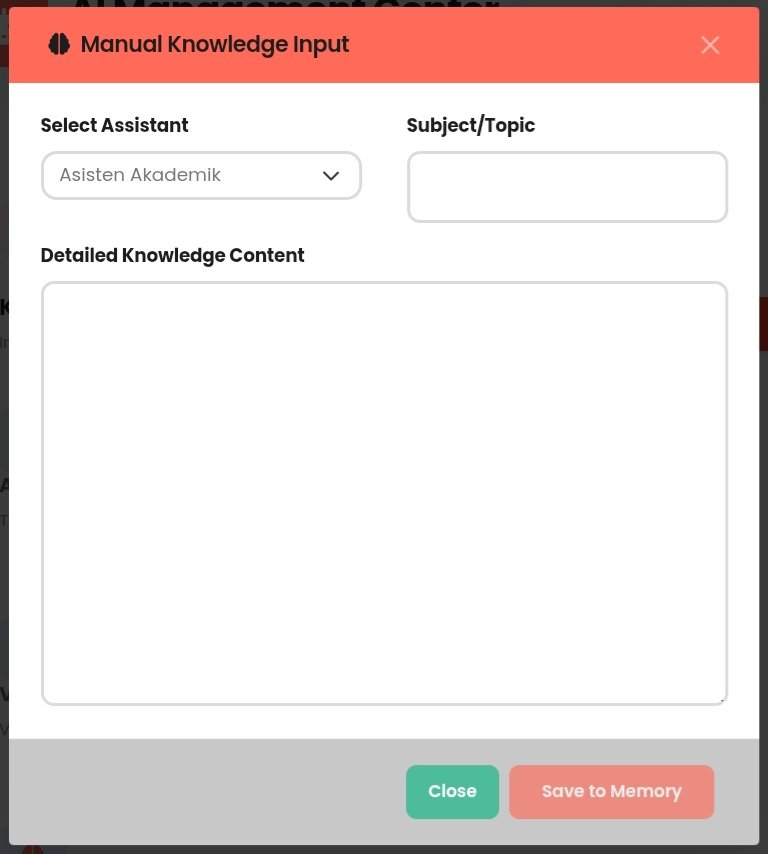
- Click the Add Training or Input Data button to open the manual entry form.
- Select the Target AI Assistant that will receive this specific knowledge.
- Enter the Question/Prompt that a user might ask.
- Provide the Ideal Response or content that the AI should use as its source of truth.
- Click Save or Start Training to update the AI's knowledge base immediately.
Benefits of Manual Training:
- Direct Control: Perfect for specific FAQ entries or school-specific terminology.
- Instant Updates: Unlike document processing, manual entries are often indexed faster for immediate use.
- Contextual Accuracy: Allows you to define exactly how the assistant (e.g., Asisten Akademik) should respond to sensitive or complex topics.
Found this article helpful?
[ 0 Out of 0 Found Helpful ]